
How to choose the right AI tool
LOGO.com's AI tools let you create designs, generate images, write brand content, and polish visuals — all without leaving your workspace. Use this guide to find the right tool for what you're trying to do.
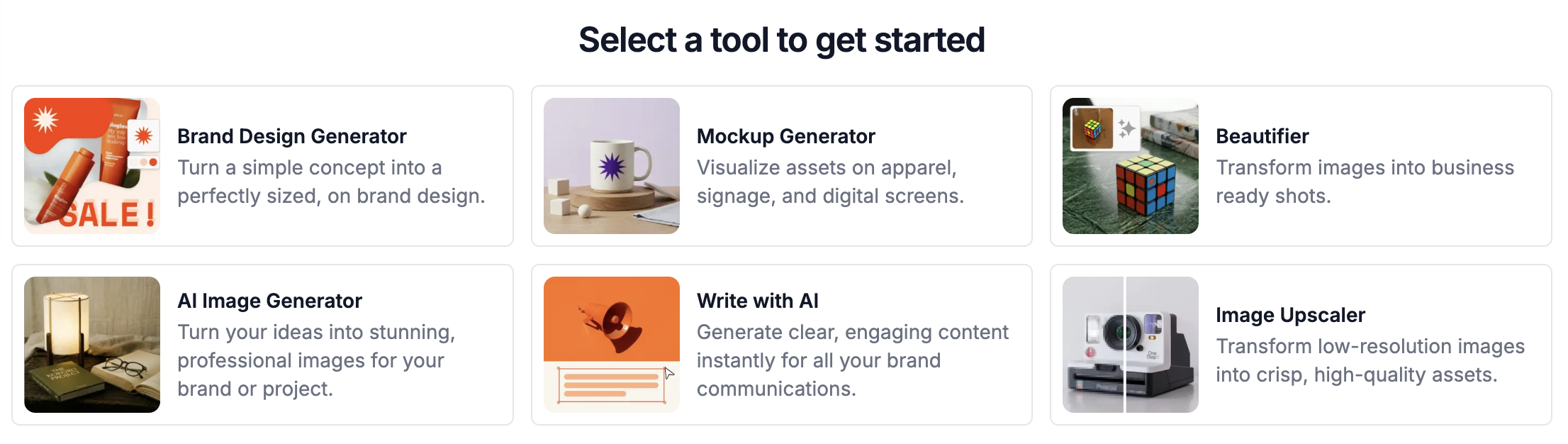
Available AI tools
Brand Design Generator
The Brand Design Generator creates ready-to-use branded graphics from a text description.
Use it for social media posts, promotional banners, sale announcements, and other marketing visuals. The tool sizes and styles the output to match your brand automatically.
Best for: Creating a branded graphic quickly without building it from scratch.
Mockup Generator
The Mockup Generator places your logo or design onto real-world items so you can see how it looks before printing or selling.
Use it to preview your brand on apparel, mugs, packaging, signage, merchandise, and digital screens.
Best for: Visualizing your logo or design on a physical or digital product.
Beautifier
The Beautifier improves the presentation of an existing image to make it look more polished and professional.
Use it on product photos, workspace images, lifestyle shots, or any brand visual that needs a cleaner finish.
Best for: Upgrading an existing image without reshooting it.
AI Image Generator
The AI Image Generator creates a brand-new image from a text description.
Use it when you need a concept image, blog graphic, website visual, or marketing illustration and have no existing asset to work with.
Best for: Generating an image from an idea when you have nothing to start from.
Write with AI
Write with AI helps you create and improve written content for your brand.
Use it for social media captions, website copy, product descriptions, email content, and promotional messages.
Best for: Writing brand copy faster, or improving content that already exists.
Image Upscaler
The Image Upscaler increases the resolution of a low-quality image so it looks sharp enough for professional use.
Use it when an image is blurry, pixelated, or too small for your intended context.
Best for: Fixing a low-resolution image before using it in brand materials.
Not sure which tool to use?
- Need a branded graphic? Use the Brand Design Generator.
- Want to preview your logo on a product? Use the Mockup Generator.
- Have an image that needs improvement? Use the Beautifier.
- Starting from scratch with no image? Use the AI Image Generator.
- Need help writing content? Use Write with AI.
- Have a blurry or low-res image? Use the Image Upscaler.
Tips for better results
The more specific your description, the better the output. Include the style, purpose, audience, colors, and where you plan to use the final asset.
Example: Instead of "Create a sale image," try "Create a modern Instagram sale post for a skincare brand using soft colors and a clean, premium style."
Note: All AI tools work best when your brand profile is complete. If results don't match your brand, check that your colors, fonts, and logo are set up correctly in your brand settings.